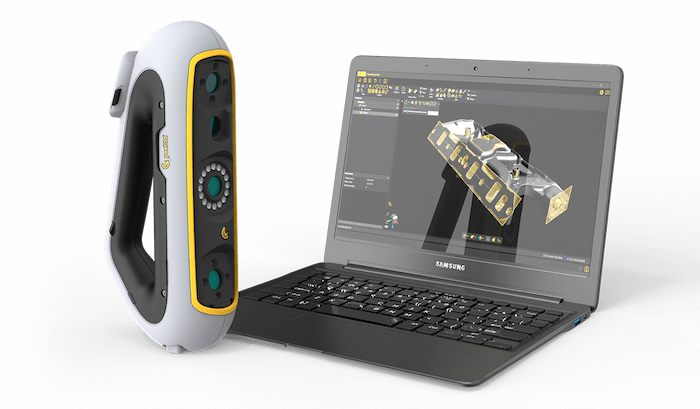
The HP–FARO CREAFORM Collaboration
Connecting Physical Parts to CAD and 3D Printing with HP DesignScan
Reverse engineering and additive manufacturing often meet at a difficult handoff: converting an existing part into data accurate enough for redesign, validation or reproduction. HP DesignScan was created for that point in the workflow, adding professional handheld 3D scanning and Scan-to-CAD capabilities to HP’s additive manufacturing portfolio.
Developed through a licensing agreement with FARO CREAFORM, HP DesignScan gives product development and manufacturing teams two routes into their downstream software: a finalized mesh for compatible 3D printing workflows or extracted geometry for continued engineering work in CAD. The product reflects a licensing strategy based on technical fit rather than category expansion alone.
A Licensing Program Built Around HP’s Core Business
HP has spent decades building its reputation in computing and printing, with additive manufacturing extending that experience into industrial production. When HP considered adding a licensed 3D scanning solution, the objective was not simply to place its name on another piece of hardware.
LMCA, HP’s exclusive brand licensing agency for nearly 10 years, looked for a partner whose capabilities would reinforce work HP was already doing. The connection had to make technical sense. It also had to give professionals a streamlined path from a real object to the digital files required for design and production.
The Challenge: Finding the Right 3D Scanning Partner for HP
Legacy parts, hand-finished models and supplier components often enter development without usable CAD data. Manufacturers frequently work with components that predate their current design systems, parts supplied without editable files or physical models shaped by hand. Recreating these objects with callipers, rulers and other manual measurements becomes difficult as soon as the geometry features complex curves, transitions or irregular surfaces.
HP had already established a strong position in additive manufacturing. But adding a 3D scanner would broaden the commercial reach of its 3D portfolio by giving the company a strategic role earlier in the product development cycle.
LMCA, a world-renowned licensing agency, began with HP’s business objective rather than with the product category. The search focused on a partner that could add a useful capture stage ahead of design and 3D printing while meeting several requirements:
- Established expertise in professional 3D scanning
- Reliable measurement performance
- Software for both mesh and scan-to-CAD workflows
- An intuitive experience for professional users and smaller companies
- Compatibility with existing CAD and production environments
- Accurate data capture for additive production
Those requirements narrowed the field to a partner with an established track record of portable 3D scanning technologies and 3D scanning software for a wide range of applications: FARO CREAFORM and its sister company,
The Solution: Expanding HP’s 3D Portfolio with FARO CREAFORM’s 3D Scanning Tech
FARO CREAFORM and HP collaborated to develop HP DesignScan, a professional handheld 3D scanner designed for work that spans physical parts, CAD, and additive manufacturing.
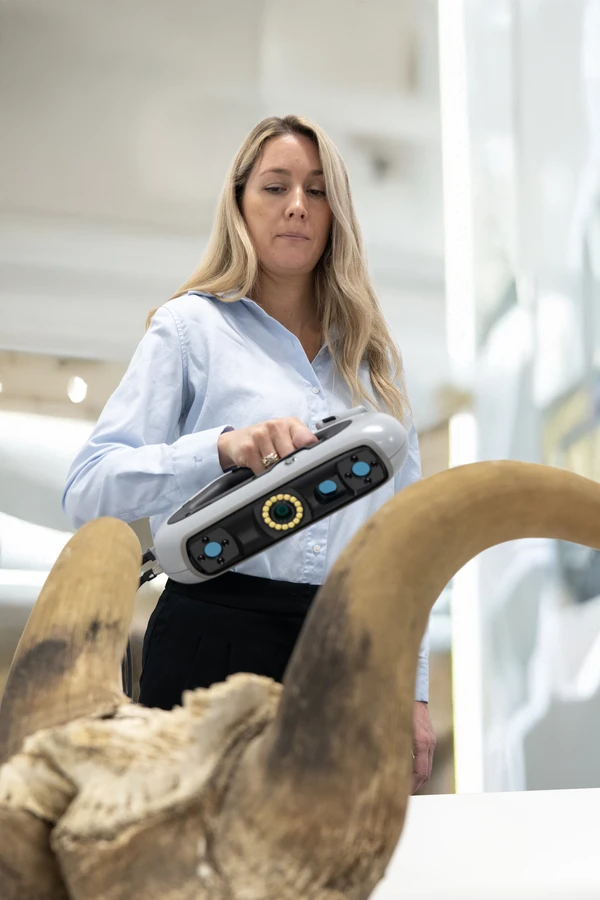
HP DesignScan is ideal for objects ranging from 0.1 to 3.0 m. It captures up to 1,250,000 measurements per second, with accuracy up to 0.050 mm and a mesh resolution of 0.250 mm. The scanner weighs 950 g and uses a 340 × 475 mm scanning area, allowing operators to capture substantial portions of an object with each pass.
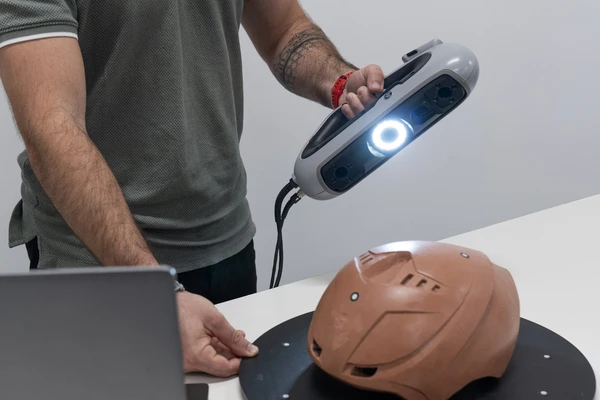
Tracking can rely on the object’s geometry, its texture, positioning targets or a combination of the three. The touchscreen provides on-screen guidance during capture, while haptic feedback communicates directly through the scanner. This allows the operator to respond to the scan without repeatedly shifting attention back to the computer.
Then, with HP 3D Scan.OS software, users set the 3D scanning parameters, capture the object, remove unwanted background data, align multiple scans when necessary and export the finished mesh. The resulting STL or other supported mesh file can be used for digital archiving, further modelling or a compatible 3D printing process.
The reverse engineering option combines the 3D scanner with HP Scan-to-CAD software. Instead of stopping at the mesh, users can extract information such as cross-sections and geometric entities, then export the data in standard formats for further work in their preferred CAD environment.
Both configurations begin with the same physical capture process, but they serve different project needs:
- Scan-to-mesh: Best for projects that require a detailed digital representation or a printable mesh without reconstructing the object into a fully editable CAD model
- Scan-to-CAD: Perfect for parts that must be modified, recreated, compared with a new design or incorporated into a larger assembly
The finalized model moves into design validation and print-preparation software, where engineers make any required changes and configure it for the selected material and printer. Once produced, the new part can be evaluated for fit and function. Any necessary adjustments are then made in the digital model before the next iteration.
How Different Teams Can Use HP’s 3D Scanners
- Reverse engineering experts can recover geometry from parts that lack current CAD files, extract design references and create an editable model for repair or redesign.
- Product development teams can digitize handmade models, modify existing products, and move physical concepts into CAD without manually redrawing every surface.
- Manufacturing professionals can prepare replacement parts, prototypes and fit-test models from captured geometry while retaining a digital record for later production needs.
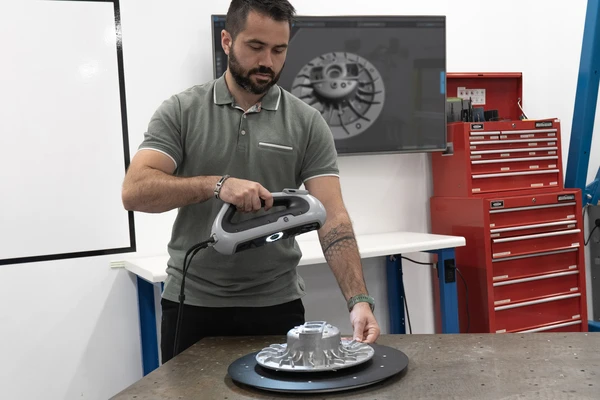
The value is that using the scan as a shared geometric reference reduces duplicate measurement work and keeps each department working from the same source data.
Read the LMCA Licensing Perspective
The HP DesignScan program is discussed in Ashley Siler’s article, “How Do You See Licensing?”, beginning on page 19 of Total Brand Licensing Summer 2026. The article examines why corporate brand licensing begins with a business objective and partner fit rather than a product category.
Read Total Brand Licensing Summer 2026FAQs About HP DesignScan
What size objects can be captured with HP DesignScan?
The recommended object size ranges from 0.1 to 3.0 m. The amount of detail required, access to the object and the surrounding workspace should also be considered when planning the scan.
Are positioning targets always required?
No. HP DesignScan can use an object’s geometry or texture to maintain its position. Targets are recommended for flatter or smoother surfaces and for projects that need stronger positional references.
Can HP DesignScan capture colour as well as geometry?
Yes. The scanner includes a colour camera and can record colour information at a resolution of 50–200 DPI. Whether colour data is useful depends on the intended output.
Which file format should be selected for 3D printing?
STL and 3MF are commonly used mesh formats for 3D printing, although the correct choice depends on the design and print-preparation software. CAD-oriented work may instead require formats such as IGES, STEP or DXF.
Should every object be scanned at the highest available detail?
Not necessarily. Scan settings should reflect the object and the decisions that will be made from the data. Capturing unnecessary detail creates larger files without always improving the usefulness of the model.
Wonder how Peel 3D can transform your work, solve problems, and save you time?
Contact our Peel 3D experts